Try it
Open 98.kolpaque.dev and, after a short black loading screen, you arrive at a Windows 98 SE desktop.
The windows, registry, drivers, system dialogs, DOS sessions, and applications belong to a real x86 installation of Windows 98 running inside the browser, rather than a screenshot or a React recreation of the shell.
Quake and Half-Life render through the computer's modern GPU. Two browser tabs can discover each other as machines on the same Ethernet network. Miranda IM receives a temporary eight-digit UIN and exchanges real OSCAR messages with another visitor. Winamp opens with a saved playlist of 35 MP3 files and shuffle already enabled. None of those programs were rewritten as web applications; that constraint shaped the entire project.
I did not want to build a museum display that looked like an old computer. I wanted to make an art project about computer nostalgia: a place where the old machine would briefly feel alive again. The more I worked on it, the more obvious it became that nostalgia could not be reconstructed from pixels alone. The visual style was the easy part. What I remembered was a computer that had weight, delay, sound, incompatibilities, local networks, desktop clutter, and other people somewhere behind the modem. Recreating that feeling required the browser to provide the computer that Windows 98 believed it was running on.
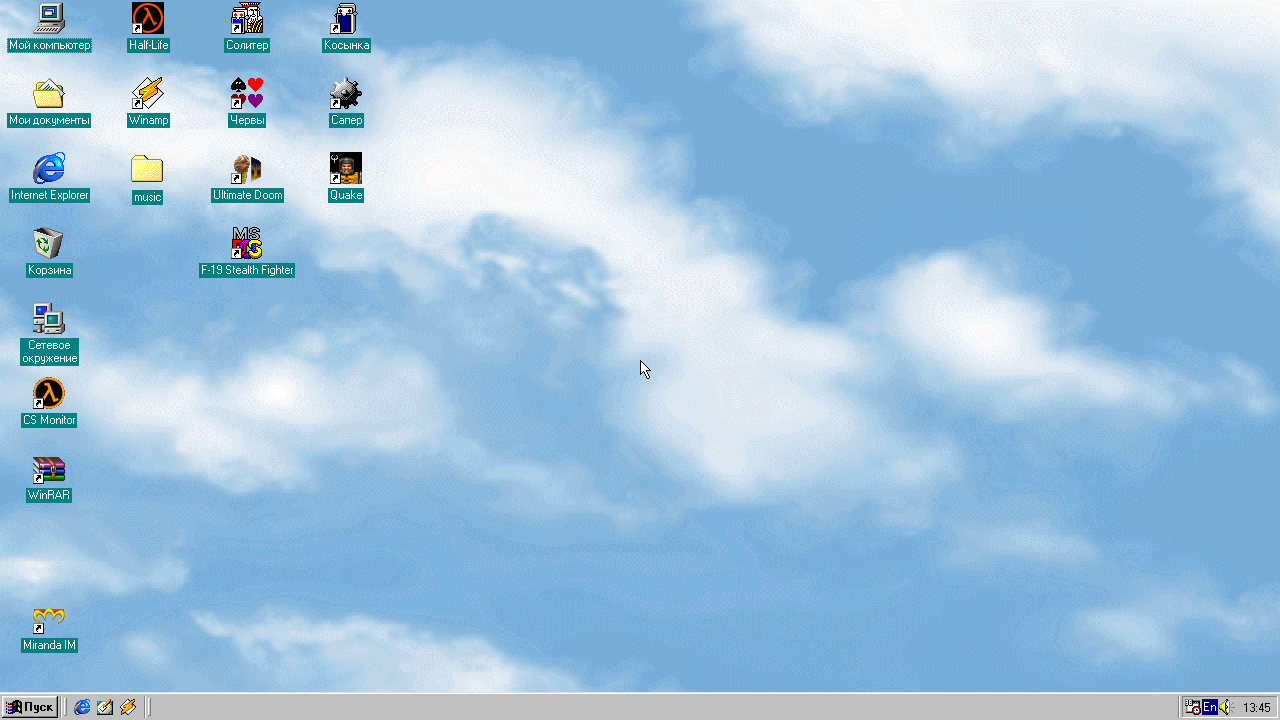
The final desktop at 98.kolpaque.dev.
A Real Machine Instead of an HTML Remake
The 98.js repository I started with already contained an elaborate HTML and JavaScript recreation of a Windows 98 desktop. It included browser versions of Paint, Notepad, Minesweeper, Solitaire, Pinball, and Winamp. It was charming, but it had a hard boundary: every program had to be recreated separately.
That was incompatible with what I wanted. I needed the actual Win32 environment, the registry, old installers, system controls, DOS virtual machines, original games, network drivers, and all the strange assumptions that software made about a late-1990s PC.
The practical reference was v86, an x86 PC emulator that runs in the browser through WebAssembly. It could already boot Windows 98, so the basic idea was clearly possible. The work would be in preparing my own machine and then connecting it to the browser in ways that v86 did not provide out of the box.
I kept v86 as a pinned dependency rather than maintaining a long-lived fork. The project uses version 0.5.424 with three tracked patch files for VGA ROM write protection, Windows 9x DPMI POPFD behavior, and a VMware mouse-axis bug, plus reproducible runtime transforms for Sound Blaster and OPL support. The display, 3D, networking, and guest-control integrations live outside the upstream tree.
I ended up using two emulators for two different jobs:
QEMU  → installation, drivers, maintenance, and desktop arrangement
v86   → execution inside the browser
The important part was making them describe the same imaginary computer. Windows 98 remembers hardware aggressively. A network adapter appearing in a different PCI slot can become a new device, trigger Plug and Play detection, or conflict with the existing configuration.
The virtual machine therefore settled on a deliberately old and conservative topology: a Pentium II, 128 MiB of RAM, an IDE disk, a NE2000 network adapter, a Sound Blaster 16, compatible VGA hardware, and no ACPI. Even the NE2000 PCI slot was fixed.
My development machine was an Apple Silicon Mac, so QEMU could not use hardware virtualization for the x86 guest. It ran through QEMU's software translation engine, TCG, translating x86 instructions on an ARM host. It was not fast, but it was reliable enough to install Windows, add drivers, move files, and shut the guest down cleanly before returning the same raw disk to v86.
The first meaningful milestone was a single installed copy of Windows 98 recognizing the same computer in QEMU and in a browser.
I used my own local Windows 98 SE media and license. The product key and original installation media are not part of the project's source tree.
Opening a Whole Computer at the Speed of a Website
The first system disk was 512 MiB. Later, after adding more games and music, I expanded it to 2 GiB. Either size is unreasonable as an initial website download, especially when most of the disk is irrelevant to the first few seconds of a session.
The solution was to separate three things that look like “the Windows machine” but serve different purposes:
raw disk
  persistent files, programs, registry, and filesystem state

lazy disk chunks
  independently compressed pieces fetched only when Windows reads them

machine snapshot
  RAM and device state from an already running desktop
The original 512 MiB disk was divided into 256 KiB pieces and each piece was compressed independently with Zstandard. A full set of compressed chunks occupied roughly 108 MiB, but the browser did not download all of them. v86 requested only the pieces that Windows actually touched, and ordinary HTTP caching made later visits cheaper.
The snapshot solved a different problem. A cold boot of Windows 98 is historically accurate, but it is not a good default interaction for a website. Saving the RAM and device state of an already running machine produced an uncompressed state of roughly 64 MiB, which compressed to around 10 MiB.
This also explained an observation that had initially looked almost magical in the v86 reference: the page could appear to load Windows 98 after transferring only around 13 MiB. Windows itself had not somehow shrunk to 13 MiB. The browser had downloaded a compressed running state plus a small number of disk chunks needed immediately after restoration.
The user-visible result mattered more than the storage machinery:
Windows stopped booting like a computer and started opening like a page.
The machine still had a real disk. Applications still read files through the guest IDE controller. Windows still believed it had resumed on ordinary PC hardware. The browser simply avoided downloading blocks that the guest had not asked for yet.
Turning the Browser Window into a Real Monitor
The first browser version looked like a familiar emulator demo: a fixed 800×600 screen inside a decorated page, with margins, rounded corners, and permanent controls for pause and restart. I wanted the page itself to be Windows, without a visible virtual-machine control panel. Removing the frame was easy; making Windows understand the size of the browser was not.
A canvas can be stretched with CSS, but that only stretches the final image. Windows still believes its desktop is 800×600. Applications calculate the wrong work area, text becomes blurred, mouse coordinates drift, and unusual browser dimensions produce empty space or cropping.
I wanted modes such as 905×602, 1111×711, or 1470×745 to exist as real display modes inside the guest. The desktop, taskbar, maximized windows, and cursor all had to agree with the browser pixel for pixel.
The final path used a patched Windows 9x display stack based on VMDisp9x. At startup, the page measures the viewport once and exposes the requested width and height through private emulated I/O ports. The guest display driver reads those values and offers a 32-bit mode at exactly that resolution. A tiny Win32 helper then calls ChangeDisplaySettingsA to apply it.
browser viewport
    ↓ width and height through I/O ports
patched Windows 9x display driver
    ↓
real guest display mode
    ↓
Windows desktop at the exact browser size
The supported range was intentionally bounded—from 320×240 to 2560×1600—and the driver still checked that the mode fit in available video memory. After the initial setup, resizing the browser did not continuously rearrange Windows. Later changes were handled as ordinary canvas scaling until the next page load.
One verified session looked like this:
document viewport: 1470 × 745
guest canvas:      1470 × 745
Windows desktop:   1470 × 745
absolute pointer:  active
The mouse required its own integration. A normal emulated PS/2 mouse reports relative motion and usually forces the browser to capture the pointer. That is awkward on desktop and nearly unusable on a phone. I installed a VMware-compatible absolute pointer in the guest, translated browser coordinates into guest coordinates, and used the same path for touch input. The Windows cursor could then follow the host pointer without mandatory capture.
The early implementation used a wonderfully fragile trick to apply the resolution: the browser pressed Win+R, typed the helper path as keyboard scancodes, and pressed Enter. It worked until the snapshot was saved with the English keyboard layout already active. My automation still pressed Alt+Shift, switched Windows back to Russian, and typed the supposedly Latin path as Cyrillic nonsense. Windows correctly reported that the executable did not exist.
Eventually I replaced keyboard automation with a tiny resident guest component, VMHOST.EXE. The browser could send it a bounded command string through a private I/O block; the helper validated the input, called CreateProcessA, and returned the real Win32 error code. Browser-level impersonation of a person typing into the Run dialog had been brittle; the narrow virtual-hardware interface was easier to test and reason about.
Old Software as a Hardware Test Suite
Once Windows loaded, resized correctly, accepted input, and produced sound, I began installing games. They supplied the content for the art project and a brutal hardware-validation suite.
Old software does not politely ask an abstraction layer what is supported. It reads timers in tight loops, switches VGA modes through BIOS calls, disables interrupts, programs DMA, assumes specific integer timings, and calls operating-system functions from contexts where nobody now expects them to be called. Each game tested a different seam between Windows 98, DOS, the drivers, v86, and the browser.
The recurring C000:8000 crash
Doom and Quake could launch, run, and appear healthy. After a clean exit, Windows sometimes displayed an illegal-instruction error at C000:8000, and the program would no longer launch a second time.
The address made the problem look like a bug in a DOS extender or a game's shutdown sequence. It reproduced with and without JIT, and even with sound disabled, so audio was not the cause.
The real failure was lower. v86 had copied the VGA option ROM into ordinary writable guest memory around physical C0000. The Windows 98 virtual display driver reused part of that range as backing storage for a virtual text screen and wrote character and attribute bytes into it. The next BIOS video call jumped into what was supposed to be ROM and executed the corrupted data.
Replacing one game with another could hide the problem, but it could not solve it. The actual fix was to make the VGA ROM readable and executable but not writable across every memory path in the emulator: interpreted stores, JIT mappings, wide writes, read-modify-write operations, and optimized REP MOVS and REP STOS paths.
After that, the original DOS games could launch, exit, and launch again without the C000:8000 failure.
Doom waited forever for an interrupt
A separate Doom problem lived in protected-mode interrupt handling. Windows 9x virtualizes a ring-3 CLI, allowing a DOS program to believe it disabled interrupts. The matching POPFD was supposed to restore the interrupt flag. v86 applied the normal privilege rule instead and left interrupts disabled.
The Sound Blaster IRQ remained pending. Doom's audio code waited forever for a timer that would never arrive.
The fix was narrow: recognize this specific Windows 9x DOS Protected Mode Interface (DPMI) virtualization pair and allow the flag to be restored. No JavaScript watchdog, forced interrupt, or global timing hack was needed. The original game resumed receiving Sound Blaster DMA interrupts and produced real non-zero PCM samples.
F-19 was too old for a fast virtual CPU
F-19 Stealth Fighter failed at transitions between flight and its post-flight screens with:
run-time error R6003
integer divide by 0
It sometimes also claimed that no AdLib board was present, which initially made the new OPL implementation look suspicious. CPU tracing showed a much stranger cause.
One of the game's sound overlays read the PIT timer 16 times, averaged the results, and divided a constant by that average. On the virtual CPU, all 16 reads could occur within a single PIT tick. The measured delay became zero, and the game executed DIV BX with BX = 0.
I briefly tested global CPU throttling. It made one game happier by making the entire machine worse. Windows became sluggish, other programs changed behavior, and DOS sessions became less predictable.
The final fix was local to the exact ASOUND.EXE build. A small reproducible patch preserved the original upper clamp, added a lower clamp of one, and carefully restored register state that the surrounding overlay expected. The first version forgot that last detail and produced a different failure, which was a useful reminder that a register that looks disposable inside a 20-byte patch may be part of an undocumented calling convention.
Explorer crashed when I scrolled
A later crash appeared in Explorer while repeatedly scrolling a large directory. Page Up and Page Down were safe; a physical mouse wheel was not. It reproduced in both v86 and QEMU, so the browser renderer was innocent.
The old VBMOUSE.DRV companion driver handled wheel input from an interrupt callback and called GetCursorPos, WindowFromPoint, EnumChildWindows, and other USER functions directly from that context. Under enough nested events, it corrupted or exhausted the stack and eventually crashed Explorer.
I rebuilt the driver with its wheel emulation disabled. Wheel steps were moved to a separate host-to-guest protocol and delivered by VMHOST from a normal Win32 timer and message loop. The absolute mouse path remained in the driver, while scrolling moved out of the interrupt context.
A stress test later delivered 512 wheel events, received 512 guest acknowledgements, visibly scrolled the directory, and did not crash Explorer.
These investigations changed how I thought about the installed software. Doom, Quake, F-19, Half-Life, and Explorer exercised BIOS calls, protected mode, VGA virtualization, timers, DMA, IRQ delivery, Sound Blaster audio, AdLib synthesis, mouse drivers, and the CPU emulator. Their failures described the computer I had actually built more precisely than the emulator's configuration did.
Making WebGL the Windows 98 Graphics Card
The largest technical part of the project began with a simple problem: software-rendered 3D inside an emulated x86 machine was too slow, while the browser already had access to a powerful GPU through WebGL2.
The tempting solution would have been to port a game to the web or compile a modern engine around its data files. That would have produced a faster game, but not the thing I wanted. The original Windows executable had to believe it was calling a normal system OpenGL driver.
First, a paravirtualized 3D transport
The first proof of concept was called VM3D. A native Win32 demo allocated a pinned command buffer in guest RAM, wrote a complete frame into it, and notified the emulator through private I/O ports.
The browser did not trust the guest buffer. On every submission it translated the relevant guest pages, checked every physical range, copied the packet into a new immutable JavaScript buffer, validated the command stream, and only then executed it through WebGL2.
Windows application
    ↓ command batch in guest RAM
v86 address translation
    ↓ copied and validated packet
WebGL2 renderer
    ↓
host GPU
The guest never received a JavaScript pointer or direct access to WebAssembly memory. The host validated lengths, command counts, texture sizes, vertex strides, finite floating-point values, render-state combinations, resource lifetimes, and the required frame structure. A malformed batch was rejected before it reached WebGL.
On the same synthetic textured scene, the difference was decisive:
| Renderer | Result |
|---|---|
| Guest software renderer | about 1.4 FPS |
| VM3D through WebGL2 | 60 FPS |
The synthetic result established that the transport was fast enough; compatibility with a real game remained untested.
From a game-local library to a system OpenGL ICD
My first GLQuake experiments used a local compatibility library next to the game. It was a useful way to discover the fixed-function calls that Quake actually needed, but it made each game a special package.
The final architecture moved the implementation into Windows itself:
original GLQUAKE.EXE
    ↓
Microsoft OPENGL32.DLL from Windows 98
    ↓
VMDisp9x OpenGL driver discovery
    ↓
system VM3DGL.DLL ICD
    ↓
VM3D command transport
    ↓
WebGL2
An ICD—an Installable Client Driver—is the mechanism by which the Windows OpenGL layer delegates rendering to a graphics driver. VMDisp9x advertises the VM3D pixel format, Windows loads VM3DGL.DLL, and the original game continues importing the ordinary system OPENGL32.DLL.
With the ICD installed, Quake no longer needed a browser-specific library beside the executable. Windows 98 exposed the same graphics driver to any compatible application.
The ICD exposed the historical driver entry points and a 336-slot OpenGL 1.1 dispatch table. Not every OpenGL 1.1 feature was implemented semantically, but every slot needed an ABI-safe fallback that removed exactly the correct number of arguments from the x86 stack. A diagnostic no-op with the wrong stack cleanup was enough to send execution to an address such as 00000033 several calls later.
The implemented game-oriented profile covered the pieces used by Quake and Half-Life: matrix stacks, immediate mode and vertex arrays, texture creation and updates, depth and alpha tests, common blend modes, culling, fog, scissoring, multitexture, context management, and presentation.
GLQuake: making the old renderer speak efficiently
Original GLQuake can use GL_SGIS_multitexture. Without it, every world polygon is rendered twice: once with its base texture and again with a multiplicative lightmap. I implemented the extension across the ICD, command protocol, validator, and WebGL shader so that both texture coordinate sets could be sent in one draw.
The same timedemo demo1 run at 640×480 improved from 42.2 FPS to 48.1 FPS, a 14% gain. The central image crops matched byte for byte, and host telemetry recorded hundreds of thousands of actual multitexture draws. The extension was not merely advertised in a string; the game was using it.
The next gains came from reducing communication rather than changing rendering. Repeated texture and state commands were removed. Dynamic lightmap updates were coalesced. Compatible regions were grouped into one batch. In one measured frame, state and texture commands fell from 2,223 to 184, removing 91.7% of that traffic. A later run reached 55.9 FPS while rendering 981,858 triangles over 525 frames.
The final desktop contained one Quake shortcut. It launched the original GLQUAKE.EXE, used the system ICD, rendered through WebGL2, played audio through Windows, and returned to the normal desktop when it exited.
Half-Life: when the GPU was no longer the bottleneck
Half-Life was a more demanding test because GoldSrc generates far more small calls, dynamic lightmaps, state changes, and geometry than GLQuake.
An early heavy scene ran at about 9.3 FPS. The host WebGL2 execution time was only around 4.8 milliseconds, while the emulated guest spent roughly 92 milliseconds generating the frame. The GPU was not the main problem. The emulated GoldSrc and MiniGL path was transforming vertices on the x86 CPU, expanding triangle strips and fans into individual triangles, packing large command buffers, and repeatedly hashing or copying data.
The second version of the protocol moved more work to the host:
- modelview, projection, viewport, and depth state were cached and sent only when changed;
- vertex transformation moved into the WebGL2 shader;
- triangle fans and strips remained in their original topology instead of being expanded in the guest;
- adjacent compatible primitives could be merged into one host draw;
- command packets became smaller;
- repeated texture, color, and state lookups used constant-time caches;
- lightmap staging allocations were reused.
After those changes, a light scene could reach 60 FPS. The same kind of heavy scene that had run at 9.3 FPS typically reached 23–28 FPS, with the command batch reduced from roughly 449 KiB to 226 KiB. Loading transitions could still fall to 15–17 FPS, so I do not describe the result as “Half-Life at 60 FPS.” The remaining cost lives mostly in the emulated game CPU and in the number of historical OpenGL calls it produces.
The sound path exposed another period-correct incompatibility. Half-Life's DirectSound backend appeared active, the Sound Blaster DMA continued running, and yet the game's ring buffer became entirely zero after a map started. After quitting, even ordinary Windows sounds could remain silent.
The original engine already had another supported backend. Adding -wavonly selected its Win32 WaveOut path, which worked correctly through the emulated Sound Blaster.
Relative mouse input also needed a lifecycle of its own. The browser first requested Pointer Lock. Some embedded browsers neither granted nor rejected the promise, so after a short timeout the page switched to a fallback: it disabled the absolute desktop adapter and sent relative deltas directly to the guest. When the game exited, the normal absolute Windows pointer returned.
The resulting path was satisfyingly circular. A 1998 game called the 1998 Windows OpenGL API; a Windows 98 ICD translated those calls into a private virtual-device protocol; and a 2026 browser validated the protocol and rendered it through the host GPU. The game still saw the API provided by Windows 98.
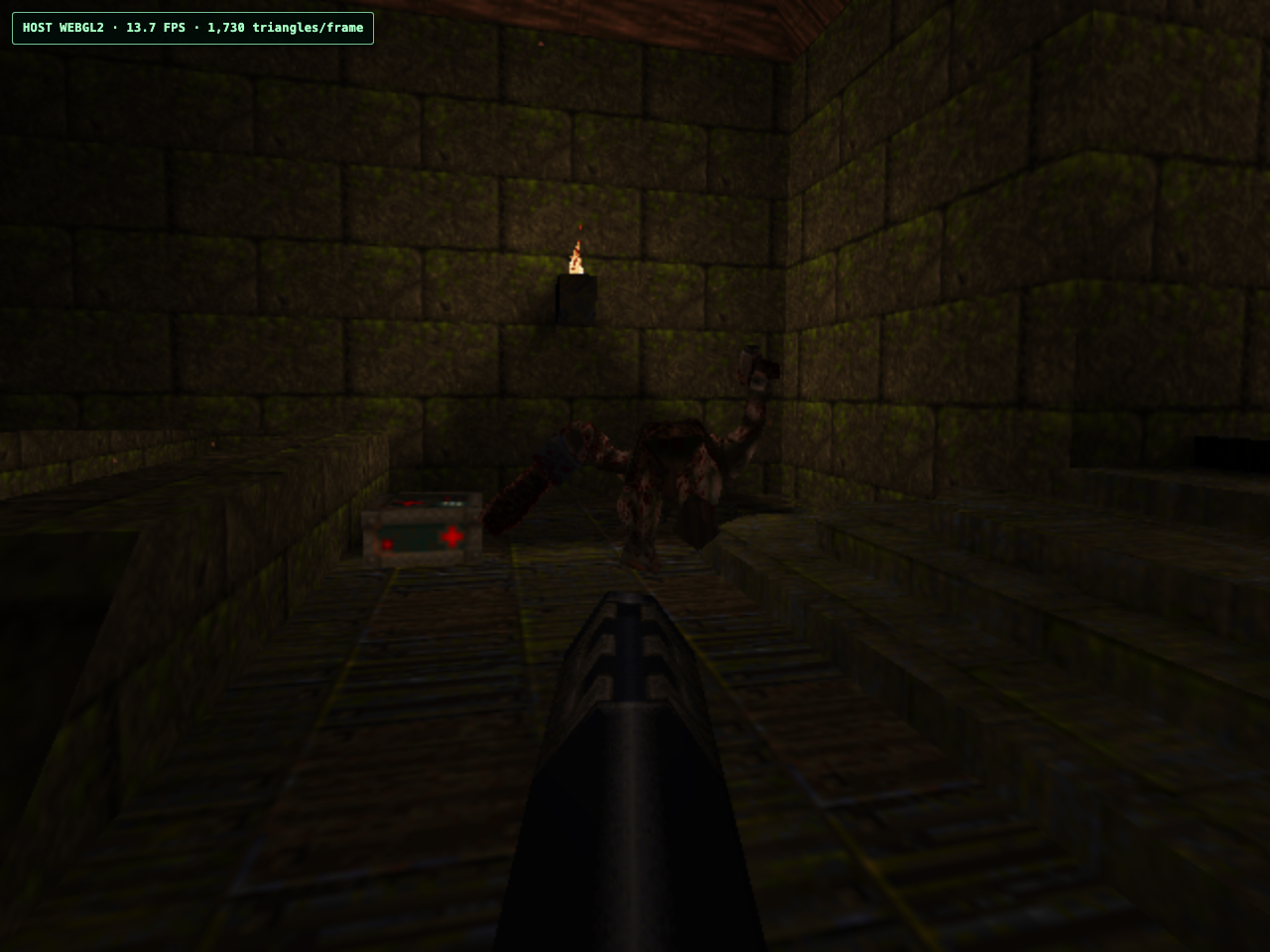
Original GLQUAKE.EXE, rendered through the system ICD and the host's WebGL2 implementation.
Making Two Browser Tabs Share an Ethernet Cable
A solitary old computer is only part of the memory. The next goal was social: open the page in two browsers, launch an old game, and have the machines discover each other as if they were connected to the same local network.
There should be no room code, no copied IP address, no configuration dialog, and no browser-specific multiplayer UI. The original game should use its original network menu.
The first architecture I considered kept the same IP address inside every restored Windows snapshot and translated remote peers into local aliases. That could work for some UDP games, but a general implementation quickly grew into a networking trap: proxy ARP, source and destination rewriting, IPv4 and transport checksums, fragmentation, broadcast policy, ICMP translation, and potentially game-specific handling when an address is serialized inside an unknown payload.
I abandoned that approach. Every page load would instead receive a real, unique identity inside Windows:
peer ID: random 128-bit value
MAC:     locally administered 02:xx:xx:xx:xx:xx
IPv4:    unique address in 10.98.0.0/24
gateway: 10.98.0.1
A small signaling service atomically rejected IP or MAC collisions. It did not carry game traffic. Its job was only to announce temporary membership and exchange WebRTC offers, answers, and ICE candidates.
Cold boot was straightforward: the local v86 network adapter could perform DHCP with the guest. Snapshot restoration was harder because Windows already contained a fully initialized TCP/IP stack and the captured address was scattered through RAM.
Running ipconfig /release_all and /renew_all took about 12 seconds, opened visible windows, and undermined the whole premise of an instantly restored desktop. Instead, during snapshot preparation I located the exact copies of the captured IPv4 address in guest RAM, in both network and host byte order. Before the first restored CPU instruction, the browser verified the old bytes and replaced those known locations with the session address.
In one state, this meant changing roughly 60 verified locations—only a few hundred bytes. Windows, Winsock, ARP, and the games then observed the new address without a reboot, a command prompt, or packet-level NAT.
The NE2000 driver kept its internal captured MAC, while v86 translated the frame identity at the adapter boundary to the session MAC. IPX source and destination node fields received their own narrow translation because they embed the hardware address directly.
Once identity was solved, the actual network was conceptually simple:
Windows NE2000
    ↓ Ethernet frames
v86 network adapter
    ↓
unordered WebRTC DataChannel
    ↓
v86 network adapter in another browser
    ↓
Windows NE2000
The Ethernet channel was unordered with zero retransmissions, avoiding head-of-line blocking and behaving more like a lossy LAN than a reliable byte stream. Known unicast traffic was sent to one peer; broadcast, multicast, IPX, and historical layer-two frames were fanned out to the connected peers. The bridge carried ARP, IPv4, ICMP, UDP broadcast, Ethernet II IPX, raw 802.3, 802.2, SNAP, and other unknown historical EtherTypes.
A rendezvous server is unavoidable before two strangers know how to contact each other. After WebRTC connected, however, Ethernet frames moved directly between browsers. A TURN server acted only as a relay when NAT or firewall rules prevented a direct ICE path.
Packet traces verified UDP discovery, connection, and sustained game traffic in both directions, as well as IPX frames with the expected translated node identifiers.
One UDP run recorded 133 game datagrams in one direction and 201 in the other. A separate IPX run recorded 115 and 170 frames. Both games were simultaneously rendered through their system OpenGL ICDs and host WebGL2 renderers, with no knowledge of WebRTC; they saw two Windows 98 computers on the same network.
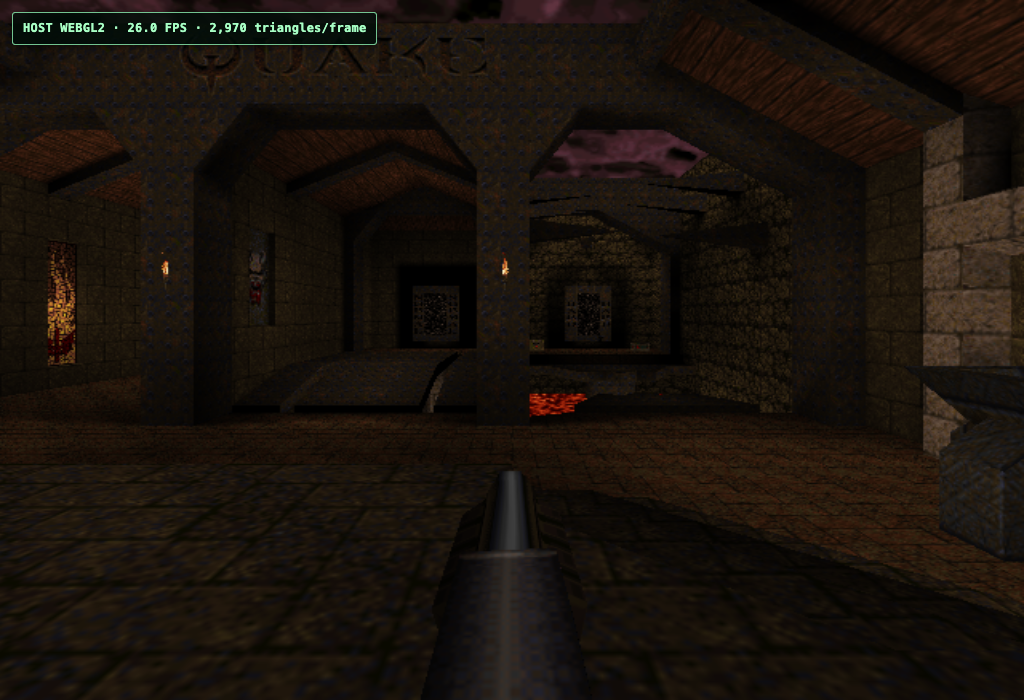
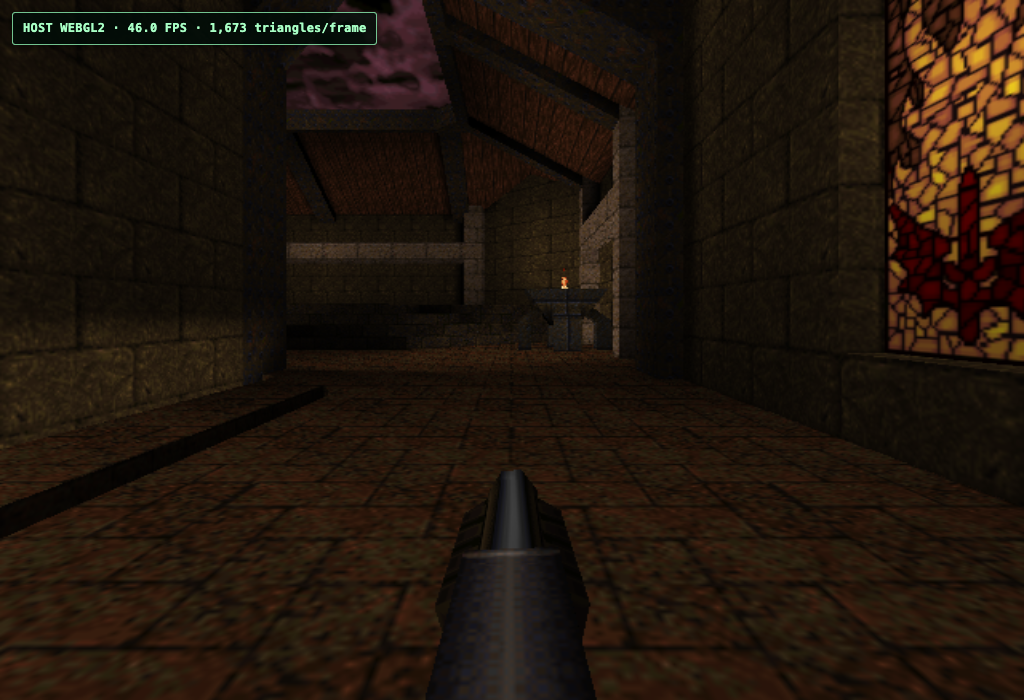
Two independent Windows 98 sessions in the same GLQuake game over browser-to-browser Ethernet.
Bringing Back ICQ Without Bringing Back the Open Internet
A Windows 98 machine with games and a LAN felt technically convincing, but it still felt empty. The emotional center of the period was not the operating system itself. It was the sense that other people might suddenly appear online.
Giving an unpatched Windows 98 installation unrestricted access to the modern Internet would be irresponsible and mostly useless. Old clients do not understand current TLS, and current services no longer speak their protocols. Instead, I built a very small, controlled piece of the old Internet around the guest.
After trying several period clients, I settled on Miranda IM 0.4.1. It ran on Windows 98 without KernelEx, Unicows, or other system compatibility layers. I installed the official Russian language pack and a minimal set of original plugins.
On the host, I ran a patched Open OSCAR Server. Miranda connected to 10.98.0.1:5190 inside the guest network. The browser intercepted exactly that destination and tunneled the TCP stream to the local OSCAR service. It was not a general-purpose proxy and did not expose the guest to arbitrary hosts.
Each browser tab received a random eight-digit UIN. The account followed the lifetime of the tab:
- closing and reopening Miranda inside the same Windows session preserved the UIN and local message history;
- closing the browser tab removed the temporary server account;
- the UIN remained as an offline contact in other visitors' rosters;
- issued UINs were never reused.
The Miranda profile began as a small valid template with a placeholder UIN. Before input was enabled, VMHOST ran a bounded configuration helper that found the typed UIN record in session.dat and replaced its current value with the tab's assigned number. This needed to work repeatedly: after the first captured session, the profile no longer contained the original placeholder.
The most interesting OSCAR bug appeared only when there was exactly one visitor. My early end-to-end test always opened two browser contexts before starting Miranda. Both clients logged in, appeared in each other's rosters, exchanged messages, and produced sound, so the test appeared complete. A single-user session, however, disconnected immediately.
Tracing the OSCAR exchange showed that Miranda 0.4.1, identifying itself as ICQBasic, sent a malformed BuddyAddBuddies request when its local buddy list was empty. The body contained three uninitialized bytes. The first random byte could claim that a buddy name was 220 bytes long even though only two bytes remained. Open OSCAR's strict decoder correctly treated this as an unexpected end of input and closed the main OSCAR session.
With a second visitor already present, Miranda sent a valid eight-digit buddy and the bug disappeared, so my own test setup had masked the failure.
The server patch was intentionally narrow: only for ICQBasic, only when the first declared buddy length exceeded the remaining body, and only by interpreting that specific packet as an empty list. Valid requests and malformed requests from other clients remained strict.
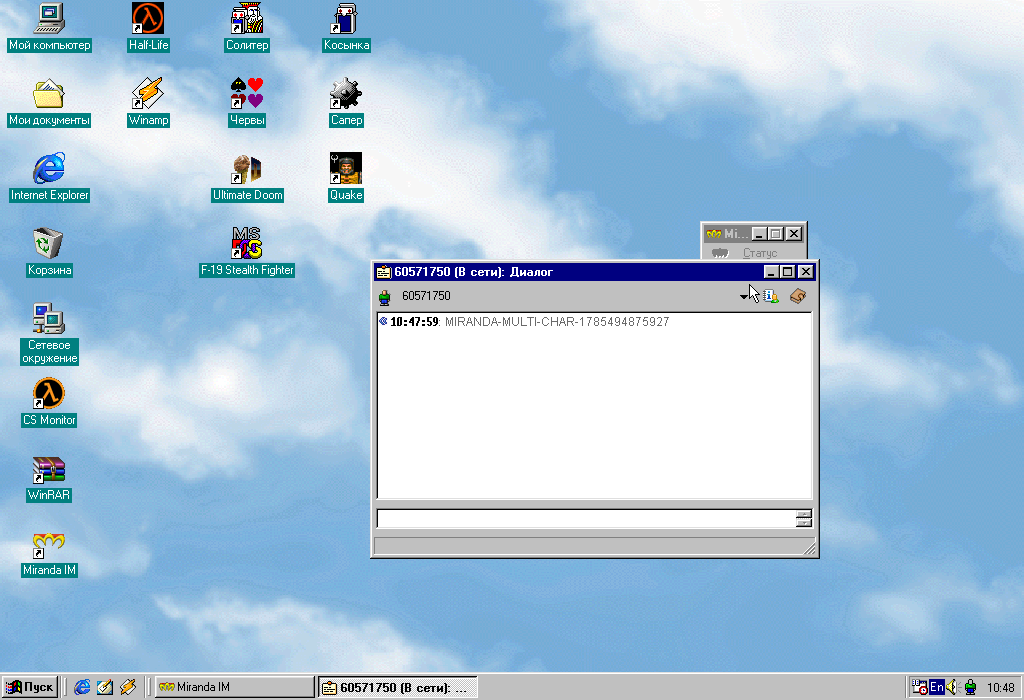
Miranda IM exchanging a real OSCAR message through the temporary browser network.
That is the current build. You can run it at 98.kolpaque.dev.
Comments